

Playing games with another person is a great way to enjoy entertainment, build teamwork, and spend quality time with friends or family. Android devices offer many online multiplayer games that allow two players to compete, cooperate, or explore virtual worlds together. Whether players enjoy puzzles, sports, action, racing, or strategy, there are plenty of choices available.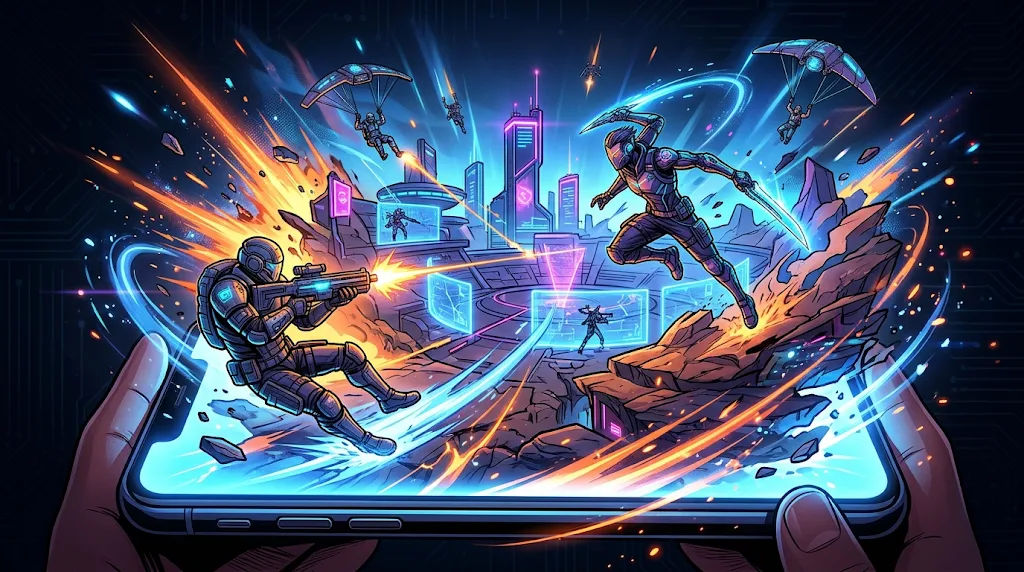
One of the biggest advantages of two-player Android games is convenience. Players do not always need expensive gaming equipment or a computer. A smartphone, a reliable internet connection, and a compatible game are often enough to start playing. Platforms such as Android also provide different gaming experiences for people with different interests and skill levels.
Choosing the right game can make the experience even better. Some games encourage teamwork, while others create friendly competition. Players exploring gaming platforms such as Android multiplayer games can find different ways to connect with friends, discover new challenges, and enjoy interactive entertainment. Understanding the available game categories, features, and connection options makes it easier to choose something enjoyable.
Two-Player Online Android Games
Two-player online Android games are mobile games that allow two people to participate in the same gaming experience through an internet connection. Players can connect from different locations instead of needing to share one device.
These games generally offer private rooms, invitations, friend lists, matchmaking systems, or multiplayer lobbies. Depending on the game, participants may compete against each other or work together to complete objectives.
Some games are designed specifically for two participants. Others support larger multiplayer groups but still allow two friends to play together.
How Online Multiplayer Games Work
Most online multiplayer games use internet OPEN88 to connect players. When one person creates a game session, another participant can join through an invitation, room code, or friend request.
The game synchronizes important information between devices. This allows both participants to see updates and respond to the same events.
A stable internet connection helps prevent interruptions. However, the amount of internet data required depends on the game's graphics, features, and multiplayer design.
Online Games Versus Local Multiplayer Games
Online multiplayer games connect players through the internet, meaning they can participate from different places.
Local multiplayer games usually require participants to be physically close. Some support Bluetooth or the same Wi-Fi network, while others allow two people to share one screen.
Both options can be entertaining. Online gaming is particularly convenient when friends cannot meet in person.
Popular Types of Android Games for Two Players
Android offers several multiplayer categories. Understanding these categories can help players select games that match their interests.
Two-Player Strategy Games
Strategy games require planning, decision-making, and careful thinking. Players may compete to control resources, complete objectives, or develop successful strategies.
Chess is one of the best examples of a traditional two-player strategy game. Android applications such as Chess.com and Lichess allow users to challenge friends online.
These games are suitable for people who enjoy thoughtful competition instead of fast-paced action.
Strategy games also encourage patience. Players must consider different possibilities before making important decisions.
Two-Player Racing Games
Racing games provide an exciting experience for people who enjoy vehicles, speed, and competition.
Some Android racing games include multiplayer features that allow friends to participate in the same races. Players can compare their performance, improve their driving skills, and explore different tracks.
Games such as Asphalt Legends offer multiplayer racing experiences, although available modes and participation requirements can vary.
Before selecting a racing game, players should check whether it supports direct friend invitations or only public matchmaking.
Two-Player Puzzle Games
Puzzle games are another excellent option for two participants. They focus on problem-solving, observation, memory, and logical thinking.
Some puzzle games allow two players to compete by solving similar challenges. Others encourage participants to cooperate and complete objectives together.
These games are often suitable for casual gaming sessions because they do not always require fast reactions or advanced gaming experience.
Puzzle games can also be a useful way to practice concentration while enjoying time with another person.
Two-Player Sports Games
Sports games recreate familiar activities such as football, basketball, tennis, and other competitive events.
Many Android sports games offer online multiplayer modes. Friends can challenge each other, develop their skills, and enjoy virtual competitions.
When choosing a sports game, check its multiplayer settings and whether private matches are supported.
Best Android Games to Explore With Another Player
Several Android games provide multiplayer experiences that can be enjoyable with friends. Their features differ, so checking compatibility and available modes is important.
1. Minecraft
Minecraft is a popular sandbox game that allows players to explore environments, gather resources, and build creative structures.
Its multiplayer features allow compatible players to participate in shared worlds.
Two friends can work together to construct buildings, explore different environments, and complete survival challenges.
The game offers considerable creative freedom. Players can choose their own objectives rather than following one fixed storyline.
However, multiplayer access may depend on account settings, subscriptions, server availability, and platform compatibility.
2. Among Us
Among Us is a social deduction game in which participants work together while trying to identify hidden opponents.
Although it supports more than two players, two friends can join the same multiplayer session.
The game focuses on observation, communication, and decision-making.
Players complete tasks and discuss unusual events during meetings. Its simple controls make it accessible to people who are new to multiplayer gaming.
3. Roblox
Roblox is an online platform containing many different user-created games.
Friends can explore compatible experiences together, including obstacle courses, adventure games, simulations, and creative challenges.
Because the platform contains different experiences, players can select activities that match their interests.
It is important to use privacy settings and interact carefully with other users. Parents and younger players should review communication controls before participating in public experiences.
4. Brawl Stars
Brawl Stars is an action-oriented mobile game featuring different characters, abilities, and competitive modes.
Friends can team up in supported multiplayer modes and participate in matches together.
The game focuses on movement, timing, teamwork, and understanding character abilities.
Although many modes support teams larger than two, two friends can still enjoy playing together.
5. Stumble Guys
Stumble Guys is a casual multiplayer game featuring obstacle courses and elimination challenges.
Players attempt to navigate different stages while avoiding obstacles and competing against other participants.
Its colorful design and straightforward controls make it suitable for casual gaming.
Friends can join compatible multiplayer sessions and enjoy the challenges together.
6. Chess.com
Chess.com is a popular platform for online chess.
It allows players to challenge friends, participate in matches, and improve their understanding of chess strategies.
Two people can enjoy traditional chess without needing a physical board.
The platform also offers learning features and puzzles that help players understand different strategies.
7. Lichess
Lichess is another online chess platform with multiplayer functionality.
Players can create games, invite friends, and choose different chess formats.
Its straightforward interface makes it useful for people who want to enjoy chess on Android devices.
It is particularly suitable for players who prefer traditional strategy games.
Cooperative Games Versus Competitive Games
Not every two-player game offers the same experience. Some focus on cooperation, while others encourage competition.
What Are Cooperative Games?
Cooperative games require participants to work toward a shared objective.
Instead of trying to defeat each other, players complete missions, solve puzzles, or overcome challenges together.
Examples include compatible Minecraft multiplayer sessions and cooperative puzzle experiences.
These games encourage communication and teamwork.
They can also be enjoyable for beginners because participants can learn together instead of constantly competing.
What Are Competitive Games?
Competitive games place participants on opposing sides.
Each player attempts to achieve a better result through strategy, skill, or quick decision-making.
Chess and compatible racing or sports games are common examples.
Friendly competition can make gaming exciting, especially when players enjoy improving their performance.
However, keeping the experience respectful is important. Winning and losing should remain part of a positive recreational activity.
Features to Check Before Choosing a Two-Player Game
Not every Android game supports the same multiplayer features. Checking a few important details before downloading can prevent disappointment.
Private Multiplayer Rooms
Private rooms allow friends to play together without depending entirely on public matchmaking.
Some games provide invitation links, while others use room codes.
This feature is particularly useful when players want a more controlled gaming environment.
Friend Invitations
A friend invitation system makes it easier to connect with another player.
Instead of searching through public matches, users can send invitations through the game's available social features.
Some games require participants to create accounts before using this option.
Cross-Platform Compatibility
Cross-platform compatibility allows players using different devices to participate in the same multiplayer experience.
For example, one participant might use an Android phone while another uses a compatible computer or gaming console.
However, cross-platform support varies between games.
Players should check the official game information before assuming that different devices can connect.
Easy Controls
Simple controls are especially important for casual gaming.
A game with complicated menus and difficult controls may take longer to learn.
Beginners often benefit from games that provide clear instructions and straightforward gameplay.
Fair Multiplayer Systems
A good multiplayer game should provide balanced experiences.
Fair matchmaking, understandable rules, and suitable competitive settings help make games enjoyable for participants with different experience levels.
Internet Requirements for Two-Player Android Games
Internet quality can influence the multiplayer experience.
Even an entertaining game can become frustrating when the connection repeatedly interrupts gameplay.
Stable Wi-Fi Connections
Wi-Fi is a convenient option for playing online games at home.
A stable network can reduce interruptions and provide consistent connectivity.
Players should avoid downloading large files or streaming high-resolution videos on the same connection when possible.
Mobile Data Connections
Mobile data can also support online multiplayer games.
However, connection quality depends on network coverage, device capabilities, and local conditions.
Players should check their data usage, particularly when games include voice communication or frequent online updates.
Understanding Game Latency
Latency refers to the time required for information to travel between a device and the game server.
High latency can cause delayed responses.
This issue is especially noticeable in racing, action, and competitive games.
Choosing a nearby server, when available, and using a stable connection may improve responsiveness.
Can Two Players Enjoy Android Games on One Device?
Yes. Some Android games offer local multiplayer options that allow two people to share a single smartphone or tablet.
These games can be convenient when friends or family members are together.
Same-Screen Multiplayer
Same-screen multiplayer allows participants to use different controls on one device.
Some casual games provide split-screen layouts, while others use separate areas of the screen.
The experience depends on the game's design and the size of the device.
Bluetooth Multiplayer
Certain games support Bluetooth connections.
This feature can connect nearby devices without requiring a traditional online multiplayer session.
However, Bluetooth support is not available in every Android game.
Players should check the game's description before expecting this functionality.
Shared Wi-Fi Multiplayer
Some games allow participants to connect through the same wireless network.
This can be useful for people playing together at home.
It is important to distinguish local network multiplayer from online multiplayer because the connection requirements are different.
Tips for Choosing the Right Game for Two Players
Selecting a suitable game is easier when players consider their interests and device requirements.
Consider Both Players' Interests
The best game is usually one that both participants enjoy.
For example, someone who likes strategy may prefer chess, while another person might enjoy racing or adventure games.
Discussing preferences before downloading helps avoid choosing a game that only one participant enjoys.
Check Android Compatibility
Not every game works on every Android device.
Some require newer operating system versions, additional storage, or stronger hardware.
Check the minimum requirements before installing a game.
This is particularly important for people using older smartphones.
Review Storage Requirements
Games vary considerably in size.
Some casual games require relatively little storage, while large multiplayer experiences may need additional downloads and updates.
Keeping enough free storage helps maintain normal device performance.
Explore Age Ratings
Age ratings provide useful information about the intended audience and the content included in a game.
Parents and younger players should review these ratings before selecting an application.
They should also check communication features, advertisements, and in-app purchasing options.
Understand Privacy Settings
Online games may include friend lists, public chat, voice communication, and user profiles.
Players should avoid sharing personal information with strangers.
Using private rooms and appropriate privacy settings can make online gaming more comfortable.
Benefits of Playing Online Games With Friends
Two-player gaming can offer more than simple entertainment.
When chosen responsibly, multiplayer games provide opportunities to develop useful recreational and social skills.
Better Communication
Cooperative games often require players to exchange information.
Participants must explain their ideas, coordinate actions, and understand each other's decisions.
These activities can encourage clearer communication.
Improved Problem-Solving
Puzzle and strategy games require participants to analyze situations and consider different solutions.
Players may develop better decision-making habits through repeated challenges.
Healthy Competition
Friendly competition can encourage people to improve their skills.
It can also teach players how to handle both success and disappointment.
The important point is to maintain a positive attitude rather than allowing competition to become stressful.
Shared Entertainment
Online games make it possible for friends to participate in activities even when they are physically far apart.
A short multiplayer session can provide an enjoyable way to stay connected.
However, gaming should remain balanced with schoolwork, sleep, physical activity, and other responsibilities.
Common Problems With Two-Player Android Games
Although multiplayer gaming is convenient, players may occasionally experience technical difficulties.
Unable to Join a Friend's Room
This problem may occur when players use different game versions or incorrect invitation details.
Updating the game and checking the room information can help resolve the issue.
Connection Interruptions
Weak internet signals can disconnect players.
Switching to a more reliable connection may improve stability.
Restarting the game can also help when temporary connection problems occur.
Different Game Versions
Some multiplayer systems require participants to use the same version.
If one person has installed an update and another has not, joining the same session may become difficult.
Checking for available updates is a sensible first step.
Device Performance Problems
Older Android devices may struggle with games that require advanced graphics or substantial processing power.
Closing unnecessary background applications and keeping sufficient storage available can improve performance.
Players should also avoid installing applications from unfamiliar sources.
Responsible Gaming Habits for Android Users
Enjoying multiplayer games is easier when players establish sensible habits.
Gaming should be one part of a balanced daily routine rather than the only source of entertainment.
Taking regular breaks can help prevent tiredness and discomfort.
Players should also protect their accounts with strong passwords and avoid sharing login information.
When a game includes chat features, communicating respectfully and avoiding unknown links are important safety practices.
It is also sensible to review in-app purchases before using them. Some applications offer optional paid features, subscriptions, or virtual items. Players should understand these costs and obtain appropriate permission before making purchases.
A good gaming experience should be enjoyable, secure, and suitable for everyone participating.
Conclusion
Online Android games provide many opportunities for two people to enjoy interactive entertainment together. Whether players prefer strategy, racing, puzzles, sports, or creative adventures, the Android gaming environment offers different experiences to explore.
Games such as Minecraft, Among Us, Roblox, Brawl Stars, Stumble Guys, Chess.com, and Lichess demonstrate how different multiplayer formats can bring people together. Some encourage teamwork, while others focus on friendly competition and individual skills.
The best choice depends on what both participants enjoy. Players should consider multiplayer availability, private room features, device compatibility, internet requirements, storage needs, and age ratings before selecting a game.
It is also important to remember that a successful multiplayer experience does not depend entirely on advanced graphics or complicated features. Simple controls, reliable connections, fair gameplay, and enjoyable challenges can make a game equally entertaining.
Responsible gaming habits are equally important. Protecting personal information, reviewing privacy settings, avoiding unfamiliar downloads, and balancing screen time with everyday activities help create a safer experience.
Ultimately, two-player Android games offer a convenient way to share entertainment, develop communication skills, and enjoy friendly challenges. By selecting compatible games and using their multiplayer features responsibly, two people can enjoy memorable gaming sessions regardless of where they are located.